University Email Template Design and Integration with Mautic and Slate Systems
Intro
I was tasked to develop an email template system to transition the university to Mautic and Slate from Mail Chimp and Target X.
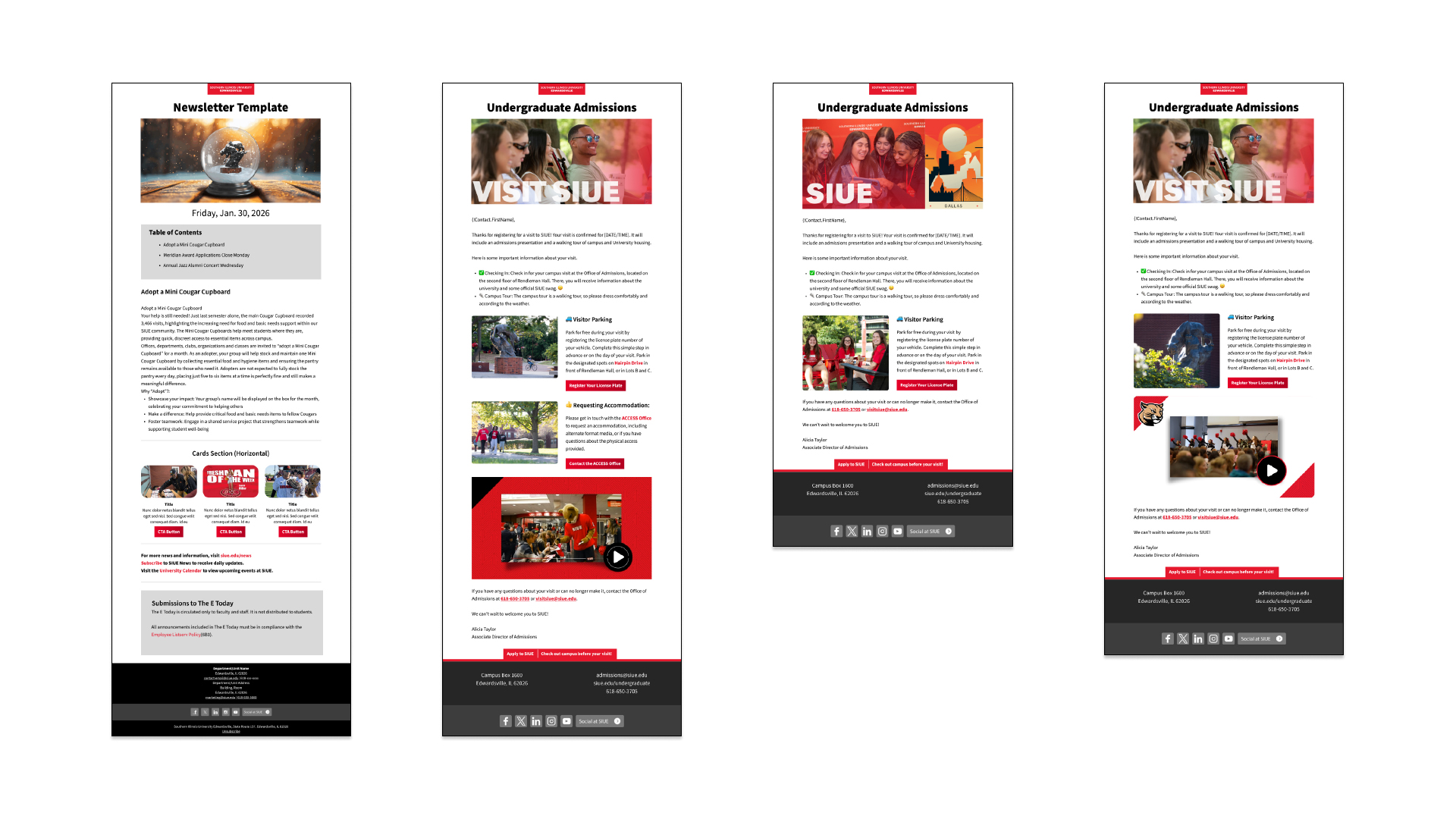
The Goal: Overhaul a fragmented email landscape into a cohesive, modular template system. The objective was two-fold: align email branding with the new university design system and dramatically increase click-through rates (CTR) and readership through strategic storytelling and visual hierarchy.
Design Strategy: The Magazine Approach
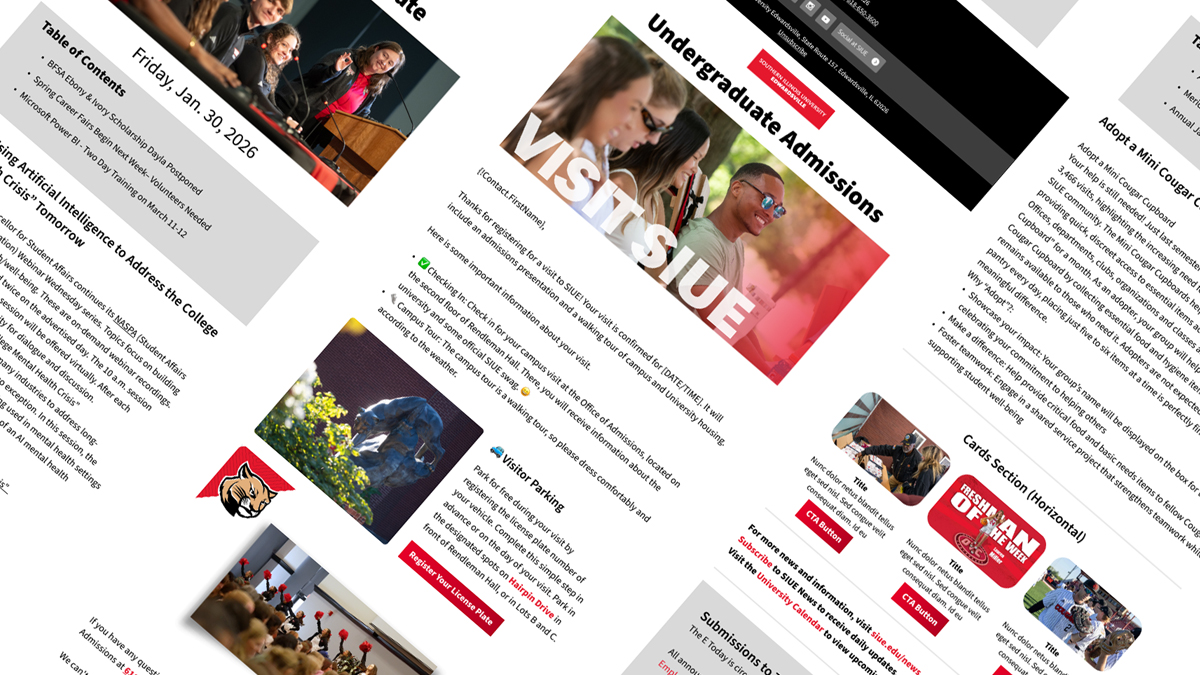
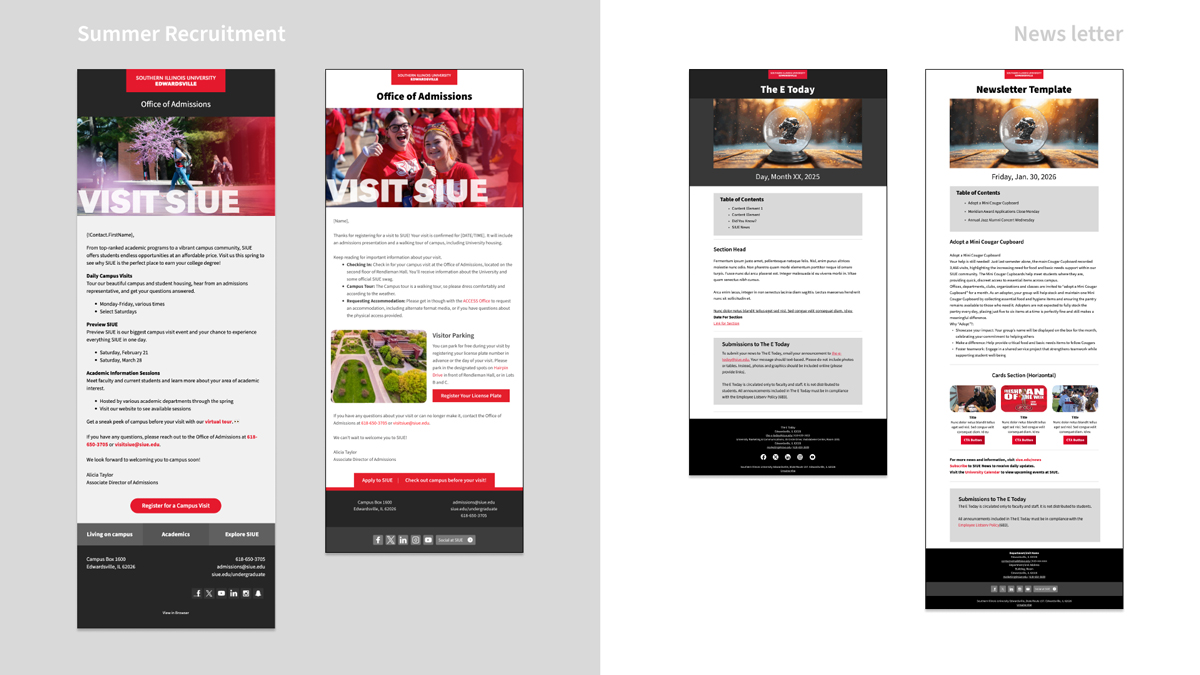
I leveraged publication design principles, including varied composition, pacing, and whitespace, to move away from “wall-of-text” emails.
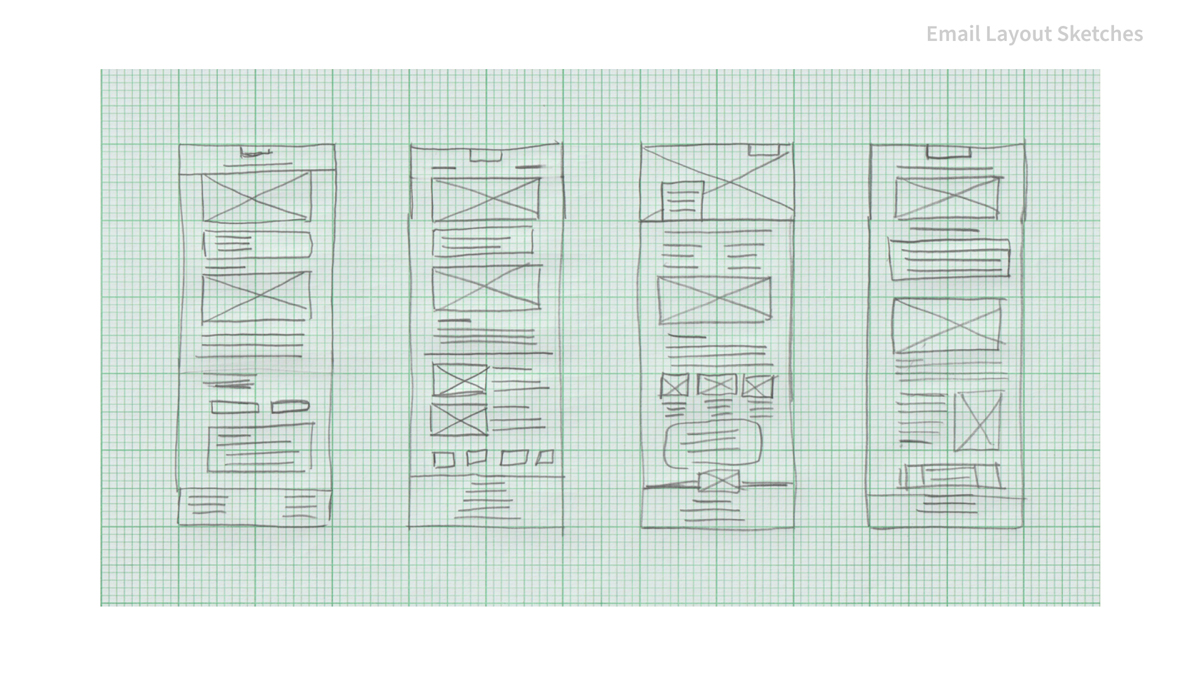
- Prototyping: Sketched components to mirror the Cascade CMS website blocks.
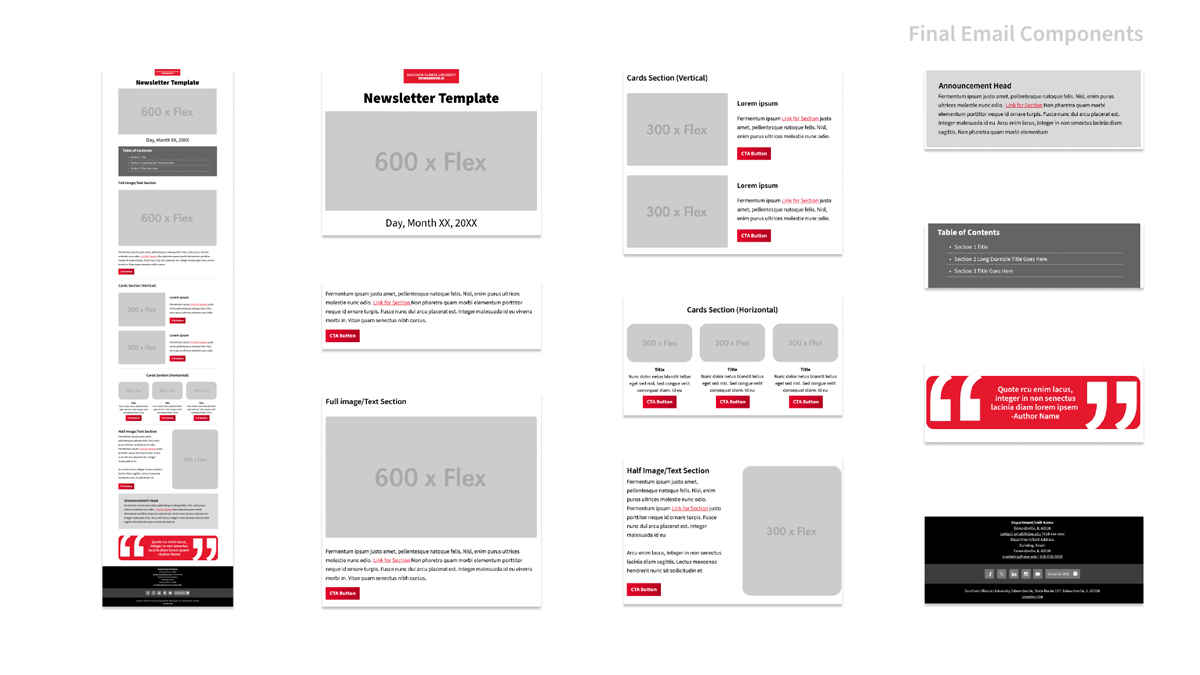
- Figma Design System: Built a library using Auto Layout, allowing “hot-swapping” content blocks while maintaining brand integrity to present to stakeholders.
- The Pivot: Initially designed “magazine-style” layouts with transparent, organic shapes. Based on stakeholder capability research, I pivoted to a simplified rectangular grid to ensure staff could successfully manage the templates without advanced design skills. This setup still retained the capability to support unique designs for more advanced designers.
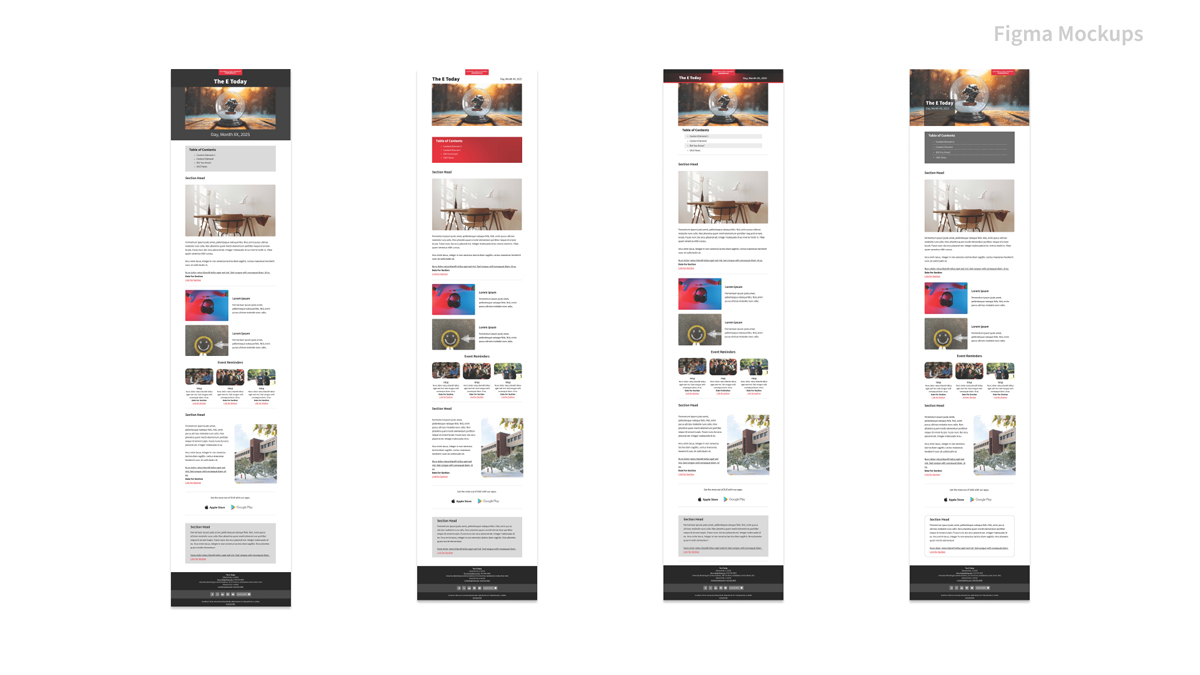
Comparison: The “Next Level” Framework
Transitioning from a basic single-column layout to more advanced compositions with reinforced branding locked in.
| Feature | Legacy Method | The Next Level Approach |
|---|---|---|
| Grid System | Single-column static HTML built in Cascade and pasted into other tools. | MJML-based Responsive Grid (Mobile-first). |
| Email Layout | Using paragraphs to set up content hierarchy. | Responsive Grid System tested on multiple email clients & platforms. |
| Personalization | Adding a single header image and updating copy. | Flexible composition options that support a variety of images and the ability to tell a story. |
| Template Build | Sending a one-off HTML file. | Modular Component Library for long-term staff autonomy. |
Behavioral Personas
To represent user groups, I created personas of fictional characters. Each persona is tied to a mindset to help translate the problems to the stakeholders.
| The High Stakes Generalist | The Legacy Specialists (The “Tinkerer”) |
|---|---|
| Platform: Cascade to Slate | Platform: MailChimp to Mautic |
| Mental Model: Sees the email tool as a high-pressure “delivery vehicle.” They aren’t interested in the code; they are interested in the outcome. | Mental Model: Sees the email tool as a creative sandbox. They have “just enough knowledge to be dangerous”—they know how to copy-paste HTML but don’t understand responsive breakpoints or Mautic’s CSS rendering engine. |
| Characteristics: High accountability, moderate-to-low technical confidence. They are “Pivot-Ready”—meaning they will follow a new process perfectly if it is proven to be reliable and faster. | Characteristics: High “Technical Ego.” They value their existing workflow (MailChimp) as part of their professional identity. They tend to bypass documentation in favor of “trial and error,” leading to critical failures at the 11th hour. |
| The Barrier: They are used to the rigid, “safe” constraints of a CMS. The “blank canvas” of a new platform like Slate causes choice paralysis. | The Barrier: They view the new open-source system as a “downgrade” because it requires more manual configuration than a paid, “black-box” tool like MailChimp. |
| The Solution (Guardrail Design): Provide “Bespoke Starter Templates.” By wireframing only the blocks they actually need, we reduce cognitive load and ensure their high-priority communications remain on-brand without them needing to “tinker.” | The Solution (Governance & Education): Shift from “fixing” their emails to “onboarding their workflow.” This includes building a Component Library that provides them with more layout blocks while using overriding MJML code that they can’t easily break. |
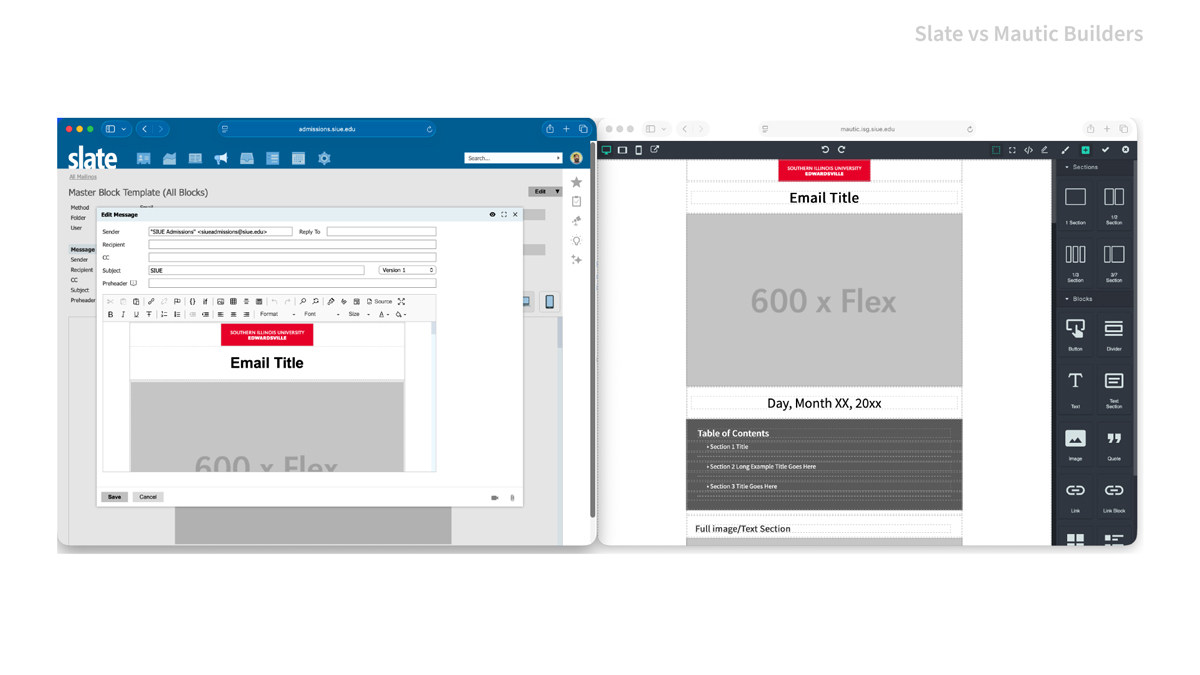
Because the Slate designer did not work as easily with reconfiguring blocks of the template adapted from Mautic, I would produce templates for the marketer with the blocks they needed to help them get started, while I reconfigured the template to work in Slate’s block components.
The GrapesJS builder in the version of Mautic we rolled out produced some style bugs with the emailers’ old workflow, so adapting their workflow, as well as using style overrides in each block, reduced the breaking of branding and accessibility rules.
Both of these platforms allowed me to see how the exact same template required different responses based on different platforms, as well as the behaviors of different users.
Technical Implementation: Stepping Into Leadership
The Challenge: Mid-project, both department directors departed. I assumed leadership of the technical integration and user onboarding to prevent project stall.
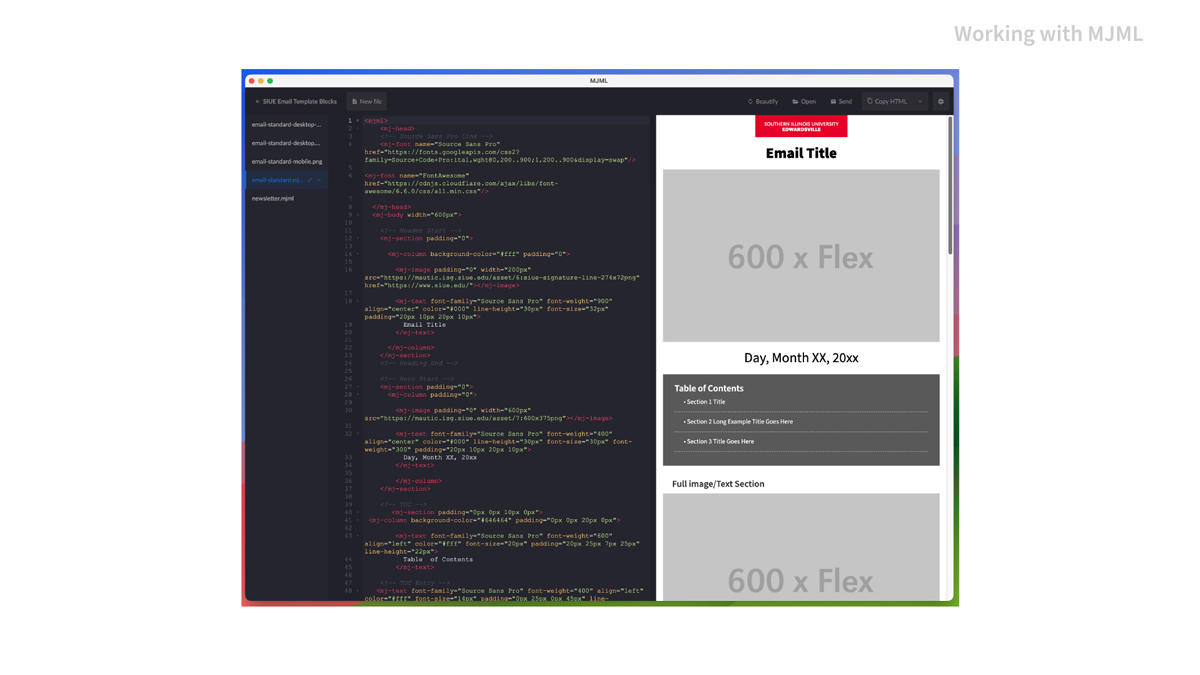
- Tooling: Adapted prototypes into MJML (Mailjet Markup Language) to ensure code was reliable across legacy clients like Outlook.
- Mautic Integration: Tooled the base code for the GrapesJS builder.
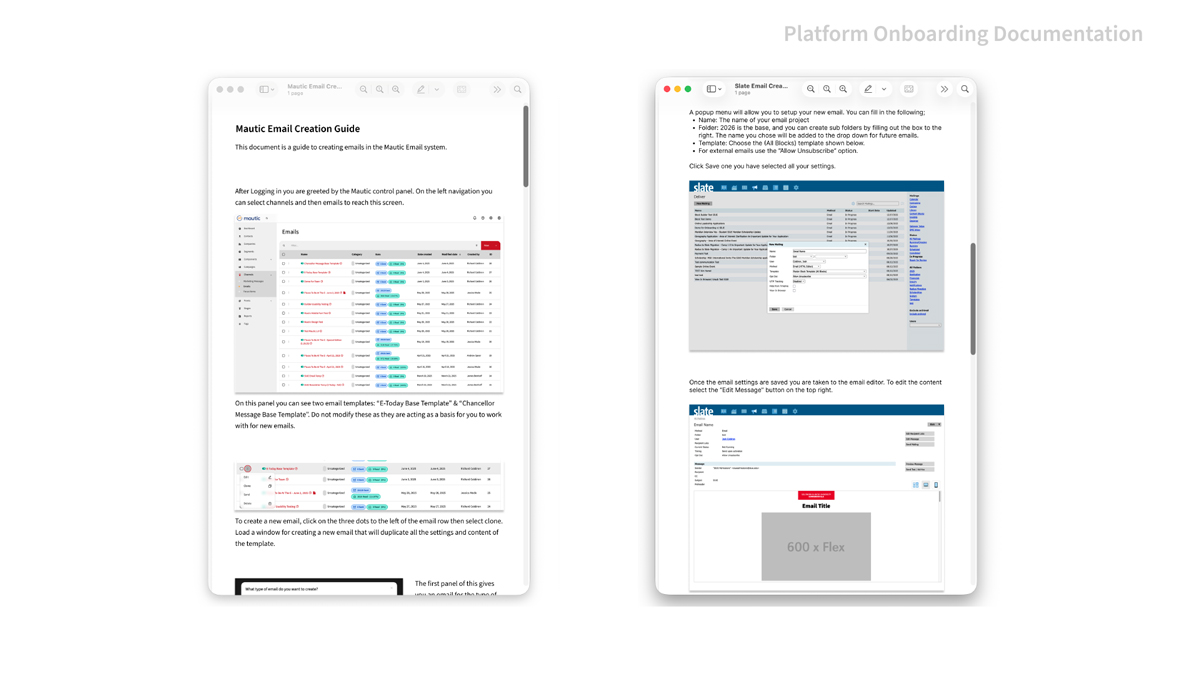
- Documentation & Training: Produced a comprehensive “Email Creator Guide” and conducted observational research (shadowing staff) to identify workflow friction.
- Result: Solved for the tendency for users to revert to old workflows by implementing workarounds within the open-source limitations of Mautic.
Scaling the System: The Slate Migration
Iteration: Transitioning from Mautic to Slate required code translation from MJML to HTML/CSS. This involved iterative designs in Figma to meet fast-approaching deadlines.
- Usability Testing: Discovered that the Slate email editor was less intuitive for novice users than Mautic.
- The Component Solution: Instead of one massive template, it will need to be broken up into blocks. Users could “load on demand,” reducing cognitive load and errors.
- Outcome: Launched a “Basic Email Package” with blocks to meet immediate campaign deadlines while the more complex component system underwent testing.
Component Optimization: Engagement and Motion
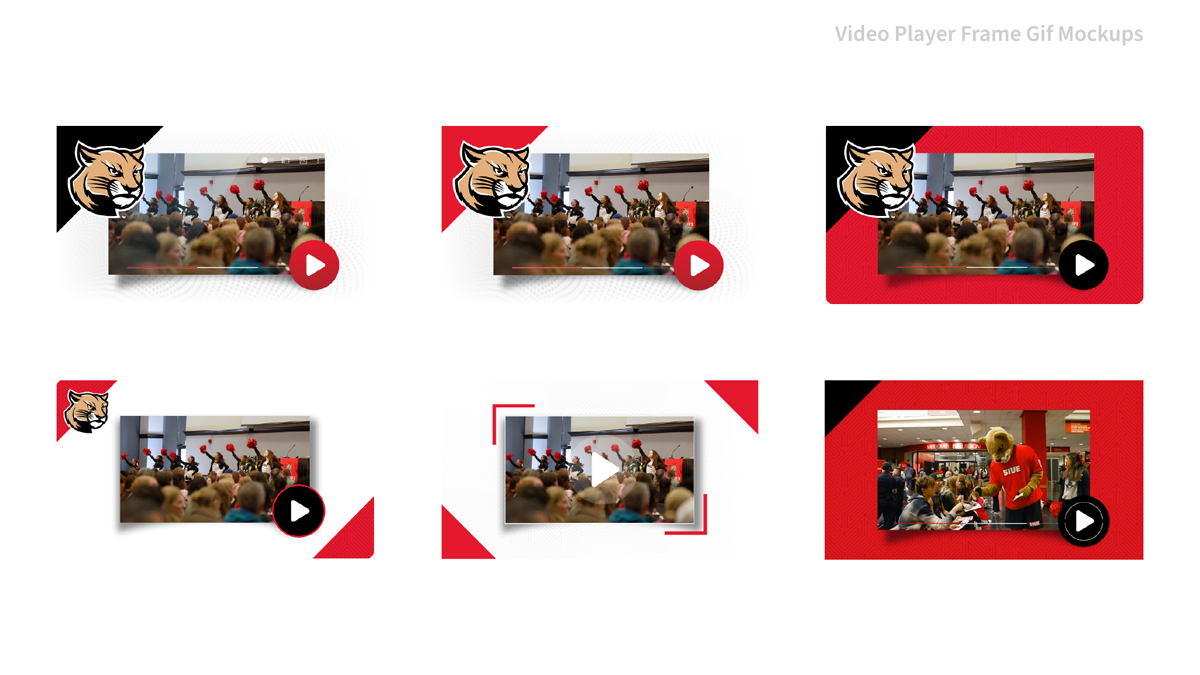
Feature Development: Through stakeholder research, a need arose to develop a new block for video links.
- The “Pseudo-Video” Block: Since email doesn’t support video, I engineered an impactful solution, looping GIFs that mimic video players to drive traffic to the linked YuJa content.
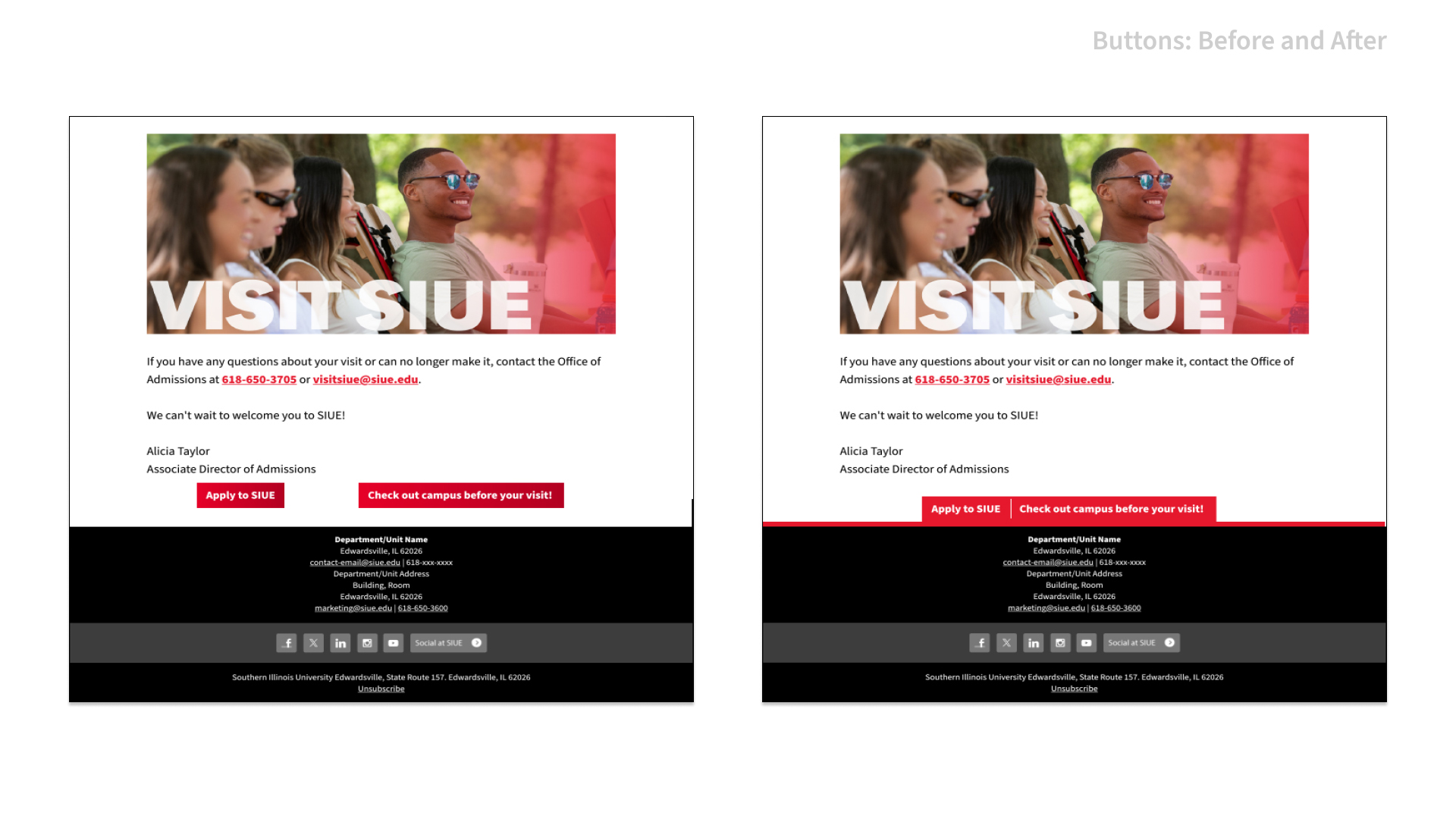
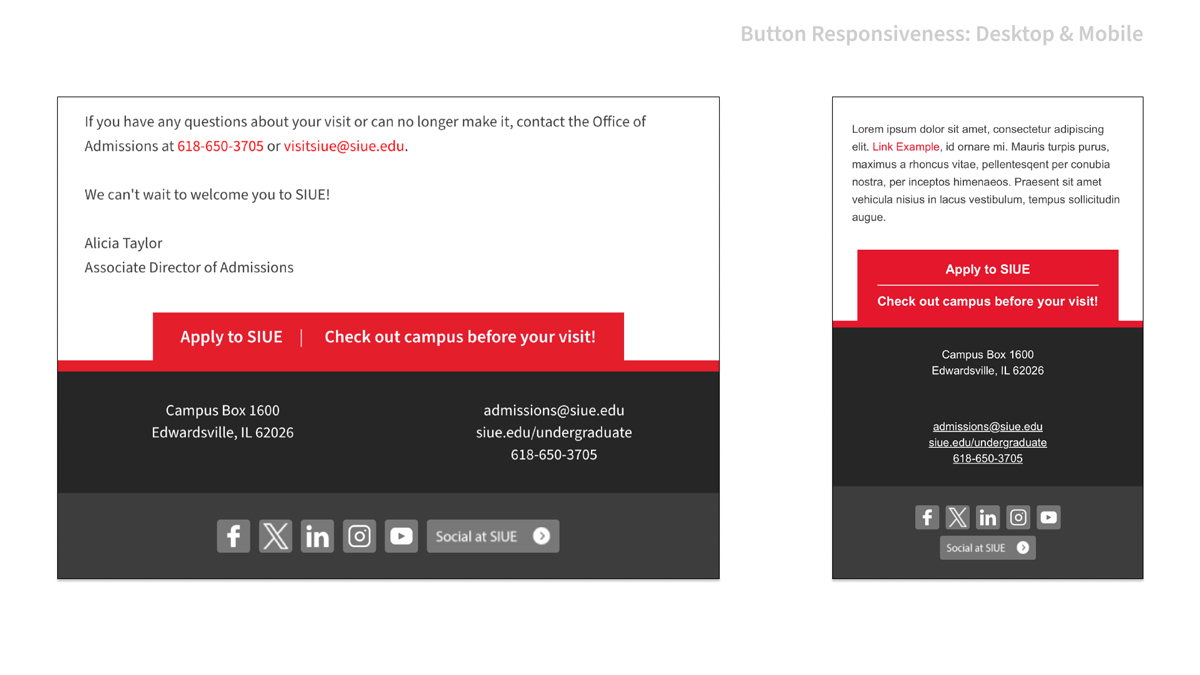
- Responsive Footer Nav: Replaced cluttered, uneven CTA links with a “Navigation Bar” inspired by the new website design.
- Mobile Logic: On desktop, links use pipes to divide buttons. On mobile, they stack into a clean list with horizontal rules for better tap targets.
- Animated Headers: Developed a pipeline for high-quality, low-filesize looping headers in Photoshop and After Effects.
- Fail-safe: Ensured the first frame was informative for clients who disable GIF animation.
Organizational Impact & Lessons
What I learned:
- Macro vs. Micro UX: Designing the tool (the template) is as important as designing the output (the email).
- Strategic Compromise: Sometimes, accessibility and brand must be balanced against the technical “ceiling” of the staff using the tool.
- Understand Limitations: I learned more about different languages and implementations for email development, as well as the limitations of email clients.
- Institutional Change: This project resulted in the formation of a University Email Committee and the expansion of the Official Digital Guidelines, ensuring long-term consistency beyond my department.
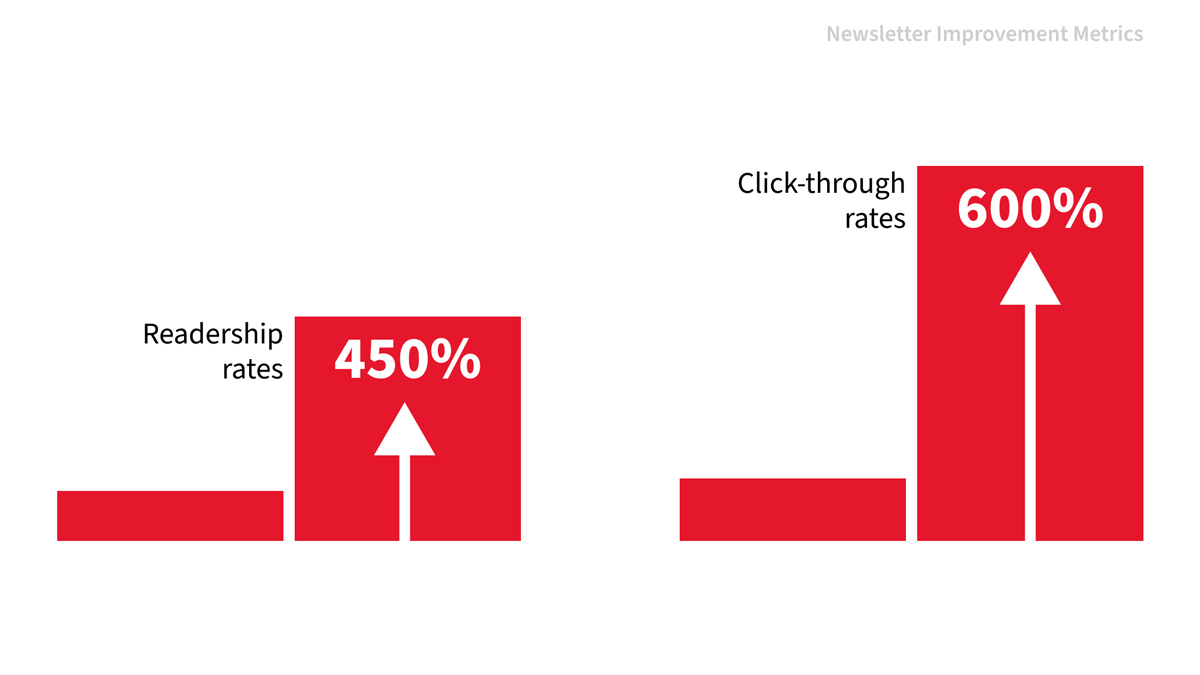
The Result: Mautic communications click-through rates increased by 600%, and email readership surpassed previous benchmarks by 450%, proving that “publication-style” pacing works in the inbox. While the email designs will continue to evolve and the process will continue to streamline, the foundation of a strong email system and guidelines are now in place through these efforts.